Expert Guide to Building Fast, Responsive AI-Powered Frontends
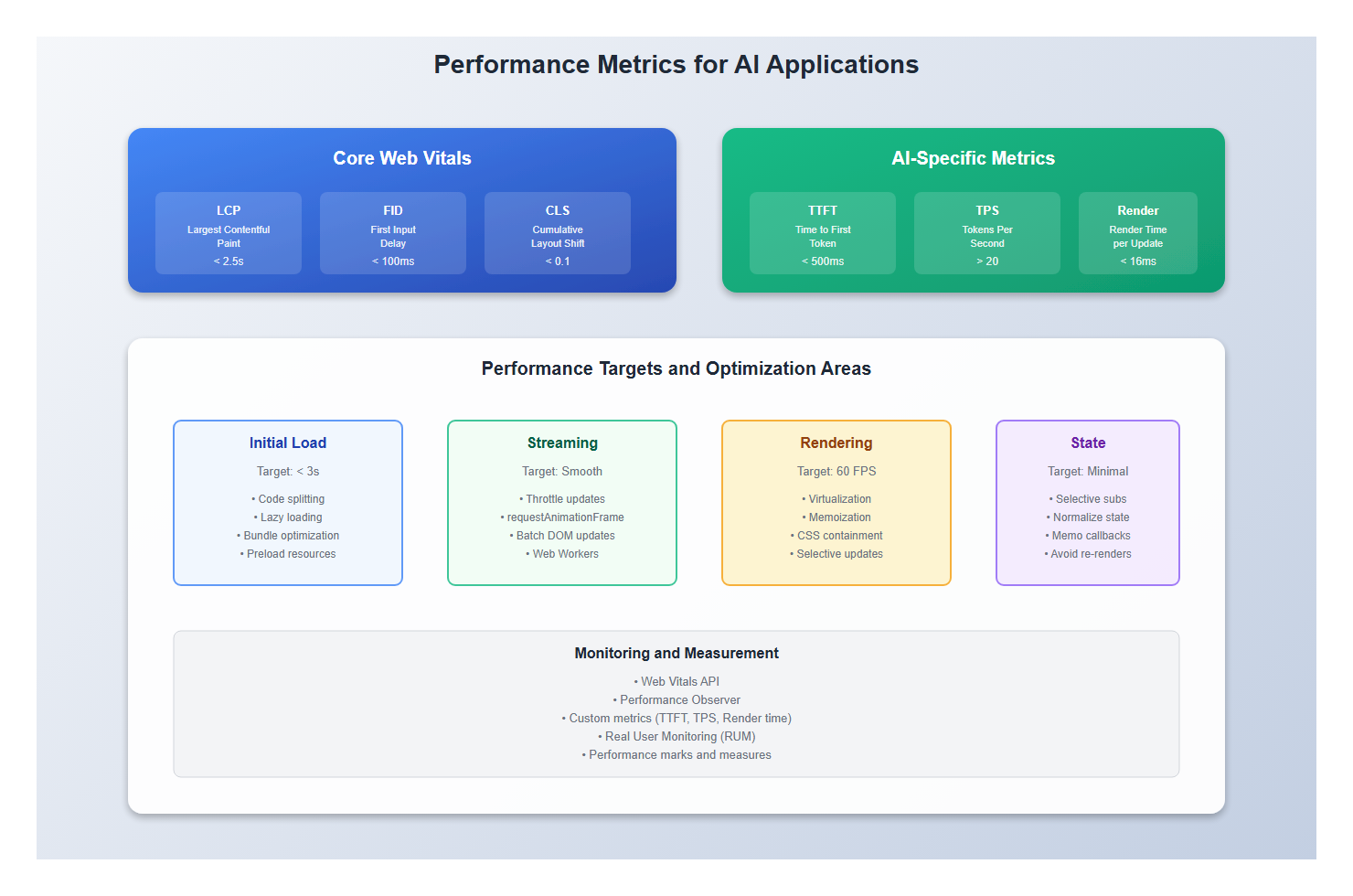
I’ve optimized AI applications that handle thousands of tokens per second, and I can tell you: performance isn’t optional. When users are waiting for AI responses, every millisecond matters. When you’re streaming tokens, every frame drop is noticeable. Performance optimization for AI applications is different from traditional web apps—it’s about handling high-frequency updates, managing large payloads, and keeping the UI responsive.
In this guide, I’ll share the performance optimization techniques I’ve learned from building production AI applications. You’ll learn how to reduce latency, optimize rendering, handle streaming efficiently, and measure what matters.
What You’ll Learn
- Optimizing streaming AI responses for performance
- Reducing initial load time and Time to Interactive
- Managing high-frequency state updates efficiently
- Virtualization and rendering optimization techniques
- Code splitting and lazy loading for AI applications
- Measuring and monitoring performance metrics
- Real-world examples from production applications
- Common performance pitfalls and how to avoid them
Introduction: Why Performance Matters for AI Apps
Traditional web applications optimize for initial load and occasional updates. AI applications are different. They need to:
- Handle streaming updates: Update UI on every token (100+ times per second)
- Process large payloads: Handle long conversations and context
- Stay responsive: Keep UI interactive during AI processing
- Load quickly: First impression matters for user trust
I’ve seen AI applications that feel sluggish even with fast APIs. I’ve also seen applications that feel instant even with slower backends. The difference is frontend optimization.
1. Optimizing Streaming Updates
1.1 Throttle High-Frequency Updates
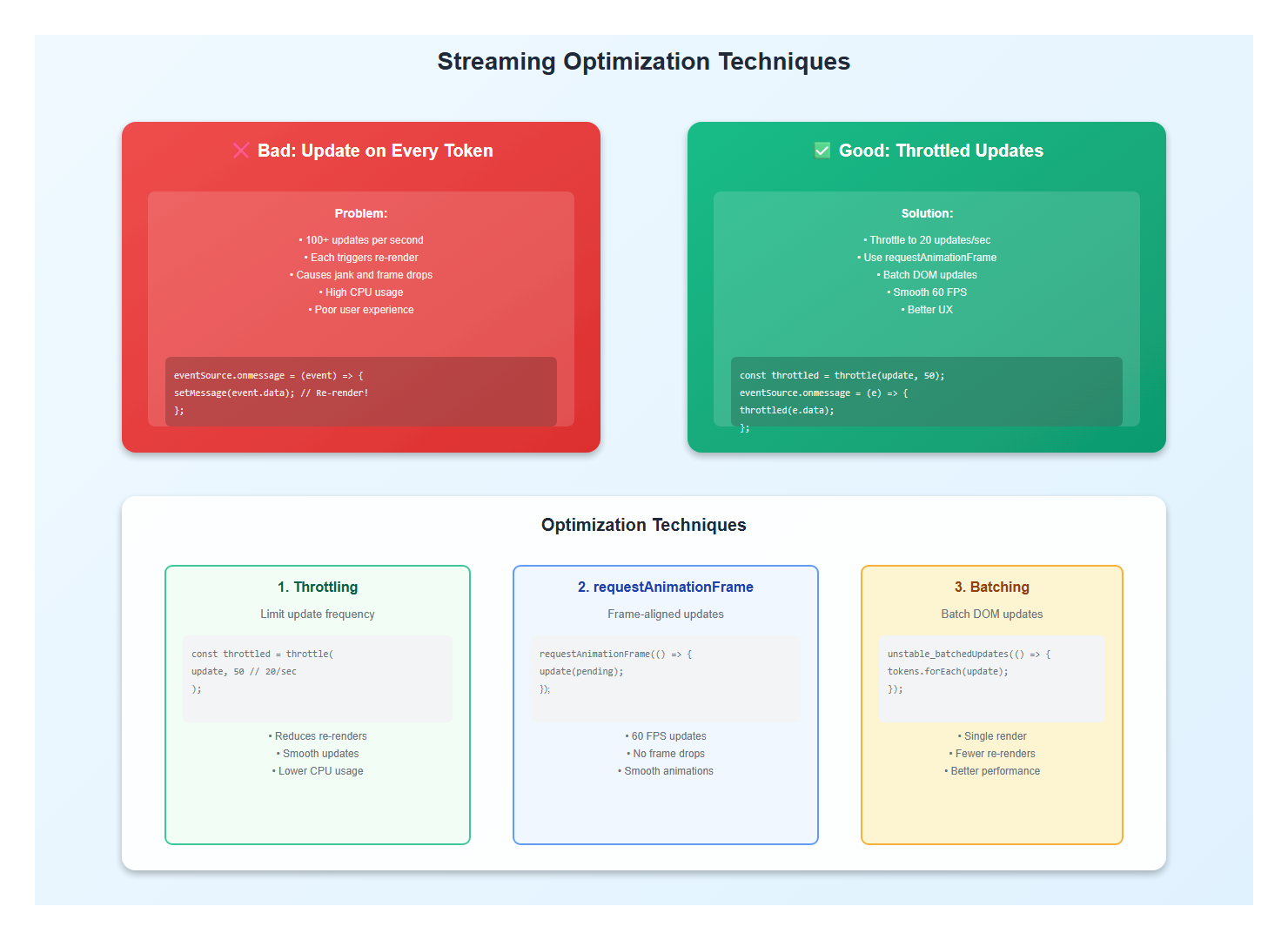
AI responses stream token by token. Without throttling, you’re updating the UI 100+ times per second, causing jank and performance issues.
// Bad: Update on every token
eventSource.onmessage = (event) => {
  setMessage(event.data); // Re-renders on every token
};

// Good: Throttle updates
import { throttle } from 'lodash-es';

const throttledUpdate = throttle((content: string) => {
  setMessage(content);
}, 50); // Update max 20 times per second

eventSource.onmessage = (event) => {
  throttledUpdate(event.data);
};

// Better: Use requestAnimationFrame for smooth updates
let pendingUpdate: string | null = null;
let rafId: number | null = null;

eventSource.onmessage = (event) => {
  pendingUpdate = event.data;

  if (!rafId) {
    rafId = requestAnimationFrame(() => {
      if (pendingUpdate !== null) {
        setMessage(pendingUpdate);
        pendingUpdate = null;
        rafId = null;
      }
    });
  }
};
1.2 Batch DOM Updates
Batch multiple updates into a single render cycle:
// Bad: Multiple separate updates
tokens.forEach((token) => {
  appendToken(token); // Each triggers a re-render
});

// Good: Batch updates
const batchTokens = (tokens: string[]) => {
  // Use React's automatic batching (React 18+)
  setMessage((prev) => prev + tokens.join(''));

  // Or use unstable_batchedUpdates for older React
  unstable_batchedUpdates(() => {
    tokens.forEach((token) => {
      appendToken(token);
    });
  });
};
1.3 Use Web Workers for Processing
Offload heavy processing to Web Workers:
// Main thread
const worker = new Worker('/token-processor.js');

worker.postMessage({ tokens: rawTokens });
worker.onmessage = (event) => {
  setProcessedTokens(event.data.processed);
};

// Worker (token-processor.js)
self.onmessage = (event) => {
  const { tokens } = event.data;

  // Heavy processing (parsing, formatting, etc.)
  const processed = tokens.map((token) => {
    // Complex processing...
    return processToken(token);
  });

  self.postMessage({ processed });
};
2. Reducing Initial Load Time
2.1 Code Splitting
Split your bundle to load only what’s needed:
// Lazy load heavy components
const ChatInterface = lazy(() => import('./ChatInterface'));
const SettingsPanel = lazy(() => import('./SettingsPanel'));

function App() {
  return (
    <Suspense fallback={<Loading />}>
      <ChatInterface />
      <SettingsPanel />
    </Suspense>
  );
}

// Route-based code splitting
const routes = [
  {
    path: '/chat',
    component: lazy(() => import('./pages/Chat')),
  },
  {
    path: '/settings',
    component: lazy(() => import('./pages/Settings')),
  },
];
2.2 Optimize Bundle Size
Reduce bundle size by removing unused code and using tree-shaking:
// Bad: Import entire library
import _ from 'lodash';
const result = _.throttle(fn, 100);

// Good: Import only what you need
import throttle from 'lodash-es/throttle';
const result = throttle(fn, 100);

// Better: Use native alternatives when possible
// Use native throttling or small utility libraries
2.3 Preload Critical Resources
Preload critical resources to reduce load time:
<!-- Preload critical CSS -->
<link rel="preload" href="/styles.css" as="style" />

<!-- Preload critical fonts -->
<link rel="preload" href="/fonts/inter.woff2" as="font" type="font/woff2" crossorigin />

<!-- Preconnect to API -->
<link rel="preconnect" href="https://api.example.com" />

<!-- DNS prefetch -->
<link rel="dns-prefetch" href="https://api.example.com" />
3. Rendering Optimization
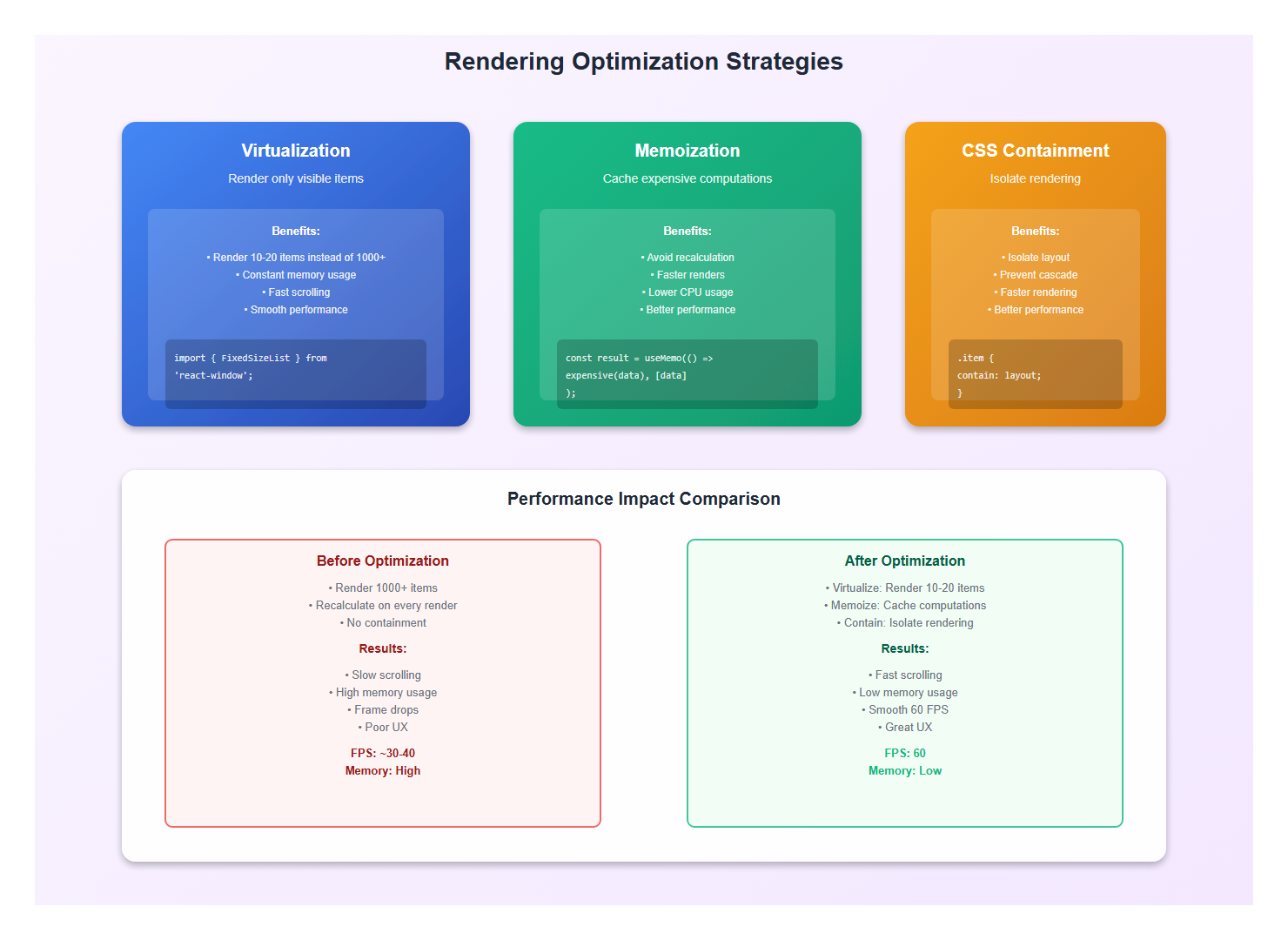
3.1 Virtualization for Long Lists
Use virtualization for long message lists:
import { FixedSizeList } from 'react-window';

function MessageList({ messages }: { messages: Message[] }) {
  const Row = ({ index, style }: { index: number; style: CSSProperties }) => (
    <div style={style}>
      <MessageItem message={messages[index]} />
    </div>
  );

  return (
    <FixedSizeList
      height={600}
      itemCount={messages.length}
      itemSize={100}
      width="100%"
    >
      {Row}
    </FixedSizeList>
  );
}

// Or use react-virtual for more flexibility
import { useVirtualizer } from '@tanstack/react-virtual';

function VirtualizedList({ messages }: { messages: Message[] }) {
  const parentRef = useRef<HTMLDivElement>(null);

  const virtualizer = useVirtualizer({
    count: messages.length,
    getScrollElement: () => parentRef.current,
    estimateSize: () => 100,
    overscan: 5,
  });

  return (
    <div ref={parentRef} style={{ height: '600px', overflow: 'auto' }}>
      <div
        style={{
          height: `${virtualizer.getTotalSize()}px`,
          width: '100%',
          position: 'relative',
        }}
      >
        {virtualizer.getVirtualItems().map((virtualItem) => (
          <div
            key={virtualItem.key}
            style={{
              position: 'absolute',
              top: 0,
              left: 0,
              width: '100%',
              height: `${virtualItem.size}px`,
              transform: `translateY(${virtualItem.start}px)`,
            }}
          >
            <MessageItem message={messages[virtualItem.index]} />
          </div>
        ))}
      </div>
    </div>
  );
}
3.2 Memoization
Memoize expensive computations and components:
// Memoize expensive computations
const processedMessages = useMemo(() => {
  return messages.map((msg) => ({
    ...msg,
    formatted: formatMessage(msg),
    highlighted: highlightKeywords(msg),
  }));
}, [messages]);

// Memoize components
const MessageItem = memo(({ message }: { message: Message }) => {
  return <div>{message.content}</div>;
}, (prev, next) => {
  // Custom comparison
  return prev.message.id === next.message.id &&
         prev.message.content === next.message.content;
});

// Memoize callbacks
const handleSend = useCallback((text: string) => {
  sendMessage(text);
}, [sendMessage]);
3.3 Use CSS Containment
Use CSS containment to isolate rendering:
.message-item {
  contain: layout style paint;
  /* Isolates rendering, improves performance */
}

.chat-container {
  contain: layout;
  /* Prevents layout recalculation from affecting parent */
}
4. State Management Optimization
4.1 Selective Subscriptions
Only subscribe to the state you need:
// Bad: Subscribe to entire store
function MessageList() {
  const store = useStore(); // Re-renders on any change
  return <div>{store.messages.map(...)}</div>;
}

// Good: Selective subscription
function MessageList() {
  const messages = useStore((state) => state.messages);
  // Only re-renders when messages change
  return <div>{messages.map(...)}</div>;
}

// Better: Use selectors
const selectMessages = (state: State) => state.messages;
const selectMessageCount = (state: State) => state.messages.length;

function MessageList() {
  const messages = useStore(selectMessages);
  const count = useStore(selectMessageCount);
  // Only re-renders when messages or count change
  return <div>{messages.map(...)}</div>;
}
4.2 Normalize State
Normalize state to avoid unnecessary re-renders:
// Bad: Nested state causes re-renders
interface State {
  messages: Message[];
}

// When updating one message, all components re-render
setState({
  messages: state.messages.map((msg) =>
    msg.id === id ? { ...msg, updated: true } : msg
  ),
});

// Good: Normalized state
interface State {
  messages: { [id: string]: Message };
  messageIds: string[];
}

// Only components using that message re-render
setState({
  messages: {
    ...state.messages,
    [id]: { ...state.messages[id], updated: true },
  },
});
5. Network Optimization
5.1 Request Deduplication
Deduplicate identical requests:
const pendingRequests = new Map<string, Promise<Response>>();

async function fetchWithDeduplication(url: string): Promise<Response> {
  if (pendingRequests.has(url)) {
    return pendingRequests.get(url)!;
  }

  const promise = fetch(url).finally(() => {
    pendingRequests.delete(url);
  });

  pendingRequests.set(url, promise);
  return promise;
}
5.2 Request Prioritization
Prioritize critical requests:
// Use fetch priority (Chrome 101+)
fetch('/api/chat', {
  priority: 'high', // or 'low', 'auto'
});

// Or use AbortController for cancellation
const controller = new AbortController();

fetch('/api/chat', {
  signal: controller.signal,
});

// Cancel if not needed
controller.abort();
5.3 Compression
Enable compression for API responses:
// Server should compress responses
// Accept-Encoding: gzip, br

// Client can request compression
fetch('/api/chat', {
  headers: {
    'Accept-Encoding': 'gzip, br',
  },
});
6. Measuring Performance
6.1 Web Vitals
Measure Core Web Vitals:
import { getCLS, getFID, getFCP, getLCP, getTTFB } from 'web-vitals';

function sendToAnalytics(metric: Metric) {
  // Send to your analytics service
  console.log(metric);
}

getCLS(sendToAnalytics);
getFID(sendToAnalytics);
getFCP(sendToAnalytics);
getLCP(sendToAnalytics);
getTTFB(sendToAnalytics);
6.2 Custom Metrics
Measure AI-specific metrics:
// Time to first token
const startTime = performance.now();

eventSource.onmessage = (event) => {
  if (firstToken) {
    const ttft = performance.now() - startTime;
    console.log('Time to first token:', ttft);
    firstToken = false;
  }
};

// Tokens per second
let tokenCount = 0;
const tokenStartTime = performance.now();

eventSource.onmessage = (event) => {
  tokenCount++;
  const elapsed = (performance.now() - tokenStartTime) / 1000;
  const tps = tokenCount / elapsed;
  console.log('Tokens per second:', tps);
};

// Render time
const renderStart = performance.now();
// ... render logic ...
const renderTime = performance.now() - renderStart;
console.log('Render time:', renderTime);
6.3 Performance Monitoring
Monitor performance in production:
// Use Performance Observer
const observer = new PerformanceObserver((list) => {
  for (const entry of list.getEntries()) {
    // Log or send to monitoring service
    console.log(entry.name, entry.duration);
  }
});

observer.observe({ entryTypes: ['measure', 'navigation', 'resource'] });

// Custom marks and measures
performance.mark('chat-start');
// ... chat logic ...
performance.mark('chat-end');
performance.measure('chat-duration', 'chat-start', 'chat-end');
7. Best Practices: Lessons from Production
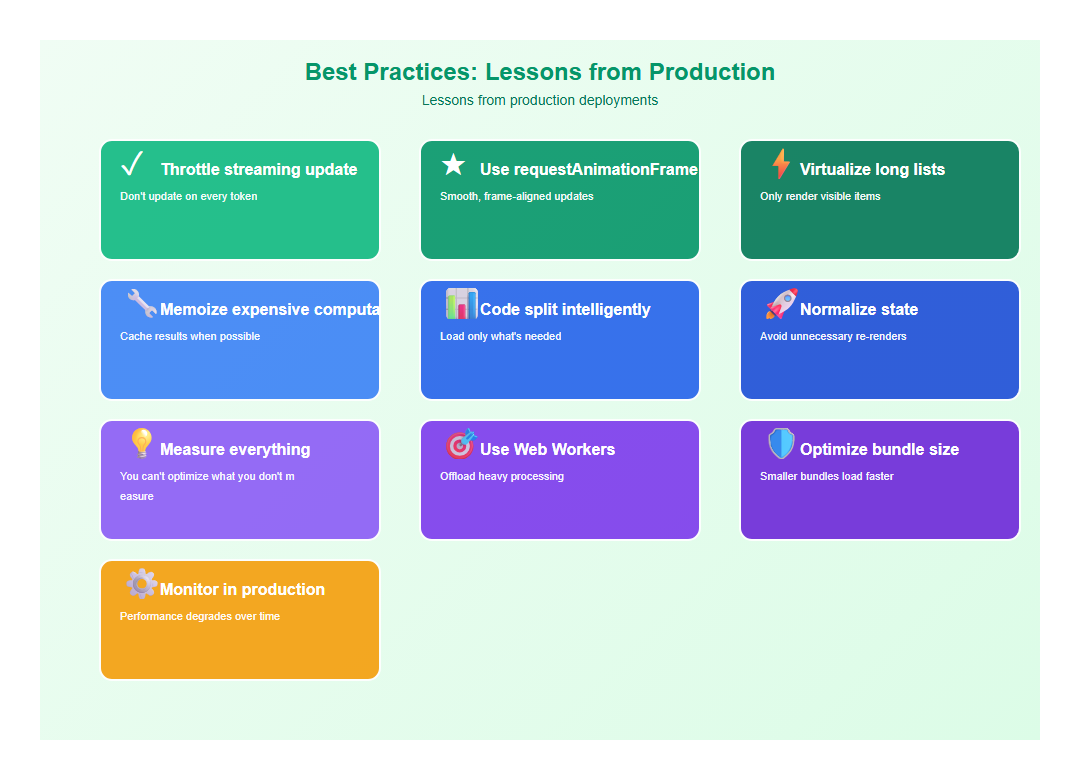
After optimizing multiple AI applications, here are the practices I follow:
- Throttle streaming updates: Don’t update on every token
- Use requestAnimationFrame: Smooth, frame-aligned updates
- Virtualize long lists: Only render visible items
- Memoize expensive computations: Cache results when possible
- Code split intelligently: Load only what’s needed
- Normalize state: Avoid unnecessary re-renders
- Measure everything: You can’t optimize what you don’t measure
- Use Web Workers: Offload heavy processing
- Optimize bundle size: Smaller bundles load faster
- Monitor in production: Performance degrades over time
8. Common Mistakes to Avoid
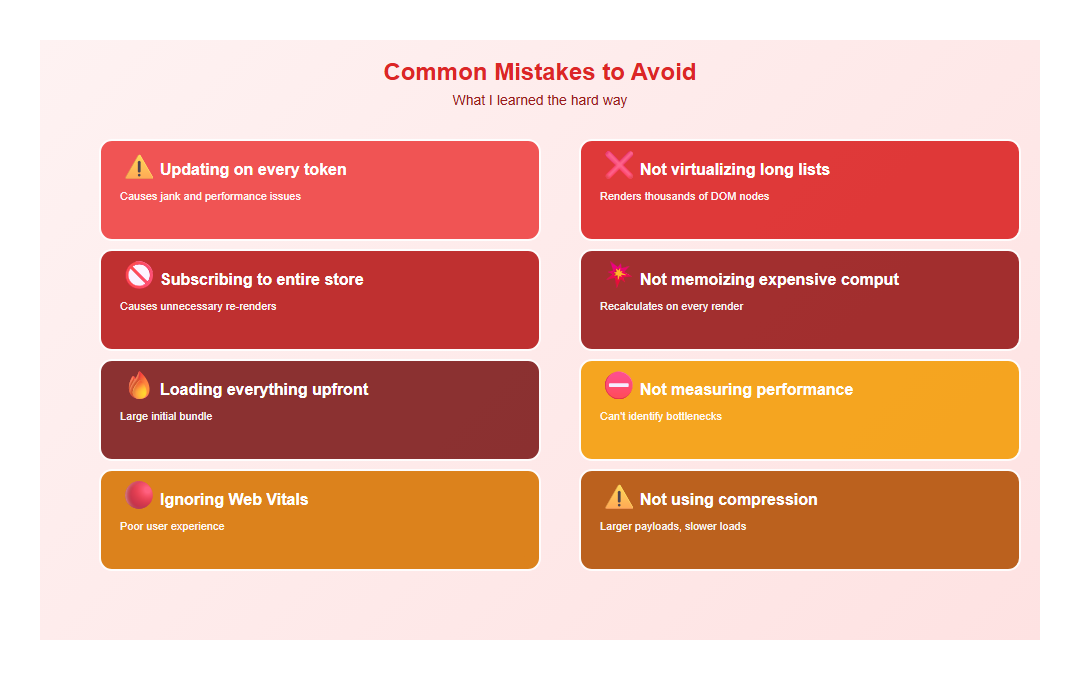
I’ve made these mistakes so you don’t have to:
- Updating on every token: Causes jank and performance issues
- Not virtualizing long lists: Renders thousands of DOM nodes
- Subscribing to entire store: Causes unnecessary re-renders
- Not memoizing expensive computations: Recalculates on every render
- Loading everything upfront: Large initial bundle
- Not measuring performance: Can’t identify bottlenecks
- Ignoring Web Vitals: Poor user experience
- Not using compression: Larger payloads, slower loads
9. Conclusion
Performance optimization for AI applications is about handling high-frequency updates, managing large payloads, and keeping the UI responsive. The key is throttling, virtualization, memoization, and measurement.
Get these right, and your AI application will feel fast and responsive, even with slower backends. Measure everything, optimize bottlenecks, and monitor in production.
🎯 Key Takeaway
Performance for AI applications is about handling high-frequency updates efficiently. Throttle streaming updates, virtualize long lists, memoize expensive computations, and measure everything. The difference between a sluggish and fast AI application is often frontend optimization, not backend speed.
Discover more from C4: Container, Code, Cloud & Context
Subscribe to get the latest posts sent to your email.